01 — Scheduling
Scheduling that catches the conflict before you do.
The schedule is where a flight school lives. StratusLog gives dispatch one board with a lane for every aircraft and every instructor, and checks each booking against everything that could go wrong with it before it saves.
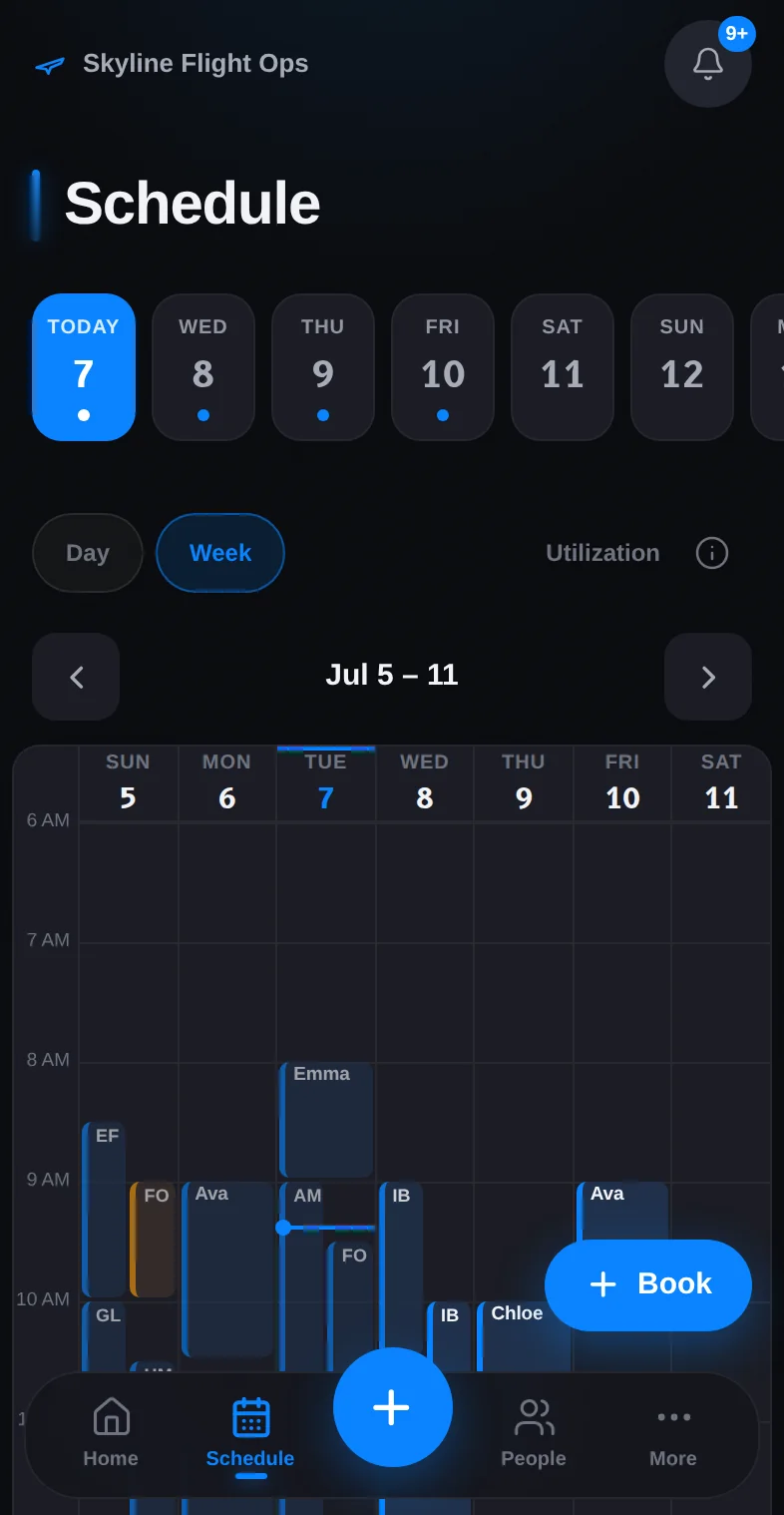
Book with the answer already checked
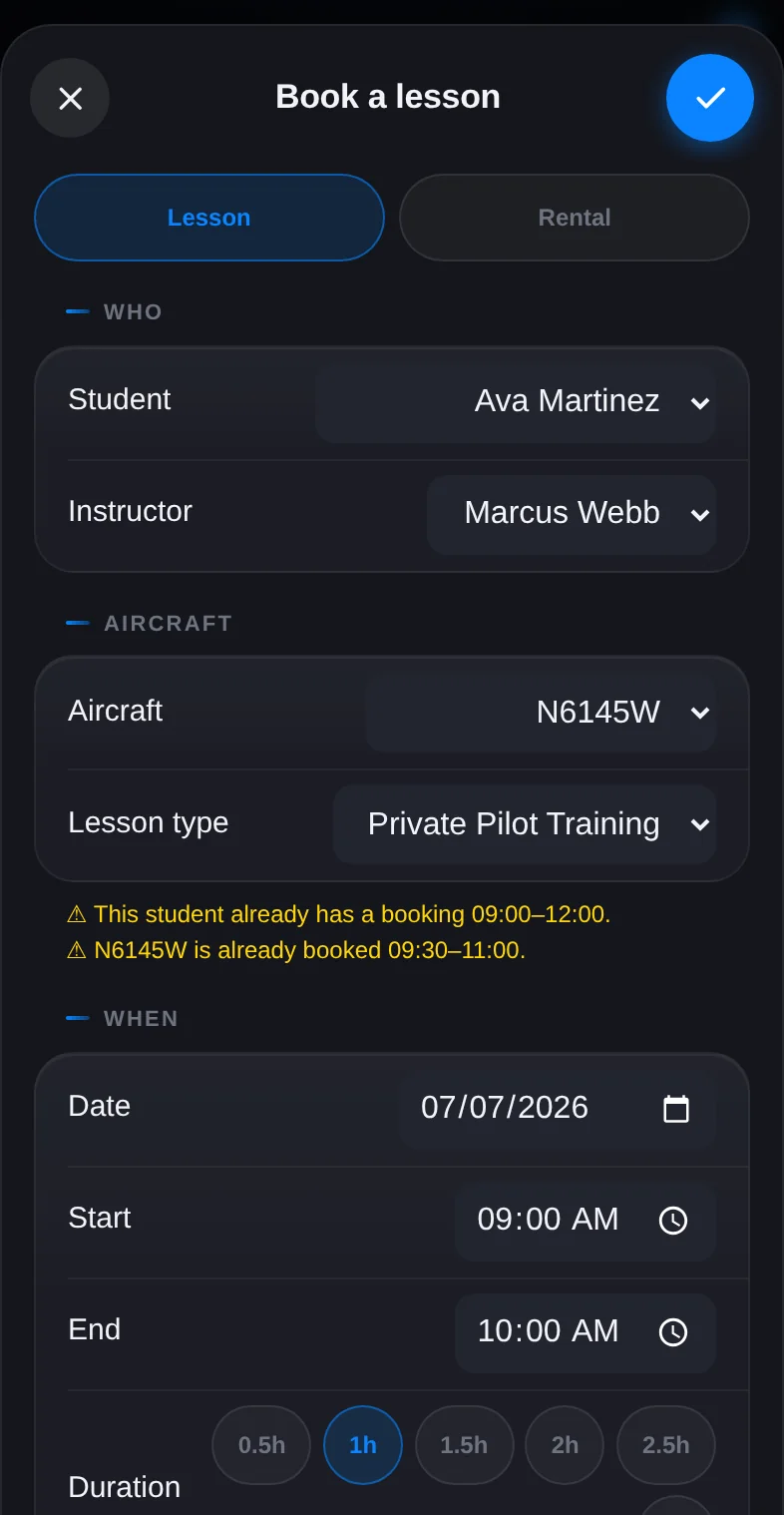
Pick the student, the instructor, the aircraft, and the time. StratusLog checks whether the plane is already booked, grounded, or in a blackout window; whether the instructor is double-booked or outside their working hours; and whether the student has another lesson. If anything overlaps you see it in the composer, with alternatives, before the booking exists.
Recurring lessons, one series
Choose the weekdays, every week or every other week, and how many weeks out. StratusLog books the whole series at once, keeps each occurrence editable on its own, and warns the instructor and the office when a series is about to run out so nobody falls off the calendar.
Google Calendar in both directions
Connect the school's calendar and lessons appear there with the student invited. Connect an instructor's personal calendar and their outside commitments show on their lane as busy time. The composer treats that busy time as a hard conflict, so a dentist appointment can't be booked over.
Reminders, no-shows, and weather
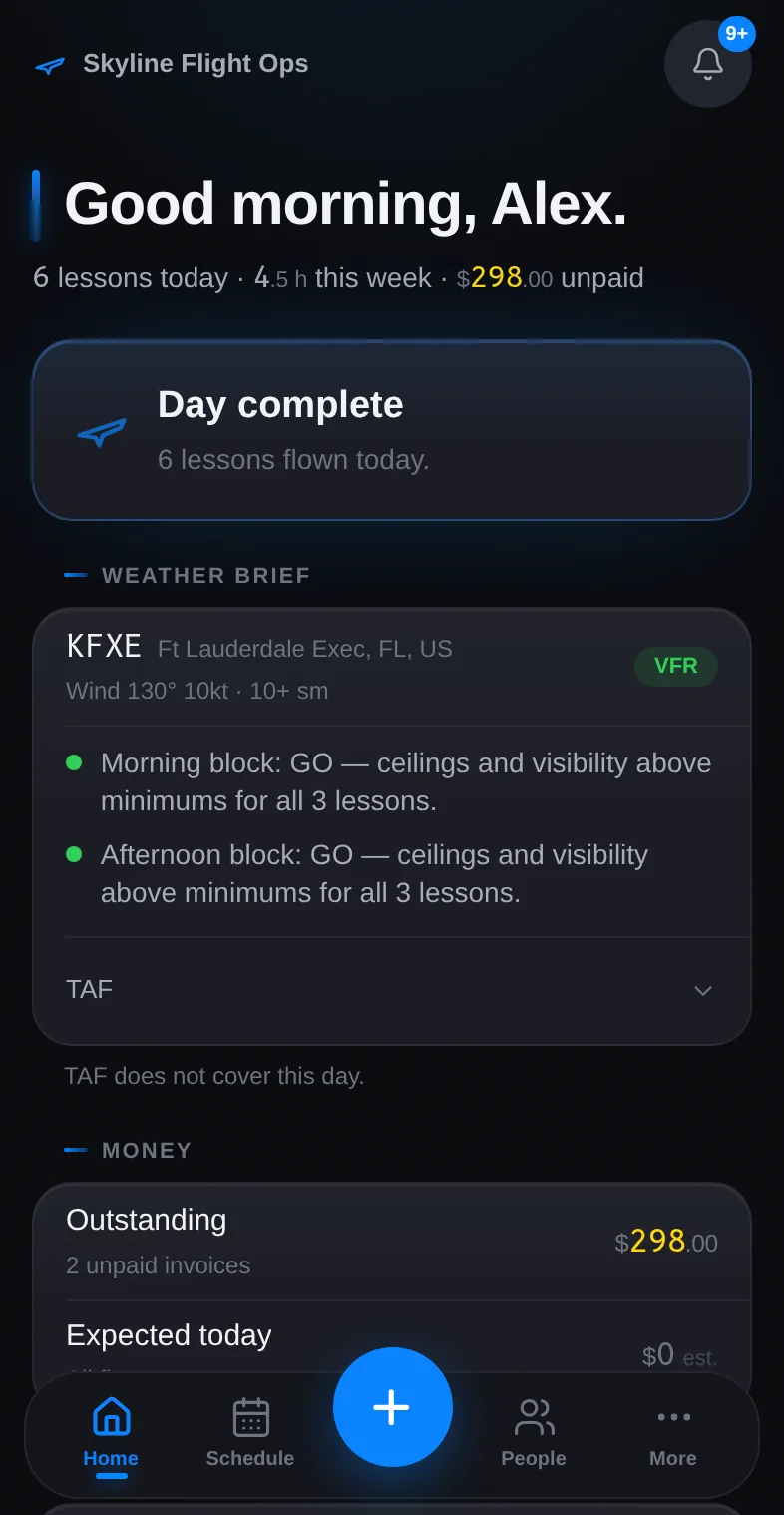
Each lesson sends a reminder by text and email. If the student doesn't show, one tap marks it, applies the school's no-show fee, and keeps the slot honest in the day's totals. A live METAR and TAF brief for the home airport sits above the board with a plain go, marginal, or IFR call for the selected day.
Questions about scheduling
Does StratusLog handle aircraft and instructor scheduling?
Yes. The schedule shows a lane for every instructor and every aircraft. When you book, StratusLog checks in real time for conflicts: an aircraft already booked, grounded, or in a blackout window; an instructor double-booked or outside their working hours; a student with another lesson. You see the conflict, with alternatives, before the booking saves.
Does StratusLog detect scheduling conflicts before I commit?
Always. Before a booking saves, StratusLog checks aircraft availability, maintenance status, blackout periods, instructor working hours, calendar busy time, and student conflicts. If anything overlaps you see it in the composer with suggested alternatives. Owners can book anyway when they mean to.
What integrations are included?
Google Calendar syncs the schedule in both directions and shows outside busy time on the board. Stripe handles invoicing, payments, and instructor payouts. Email and text delivery for invoices, reminders, and notifications are built in.
Start your school
on StratusLog.
Add your aircraft, your instructors, and your first students. Most schools log their first flight the same day.
30 days free on either plan. Card required to start; you won't be charged until the trial ends. Cancel anytime.